
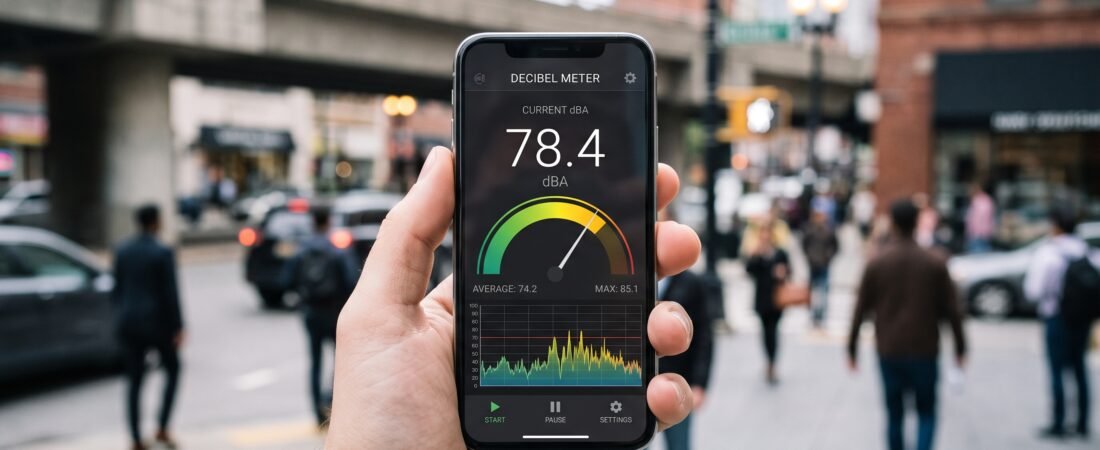
Most of us have wondered at some point just how loud something really is. Maybe it is the neighbor’s late-night party, a construction site outside your window, a crowded restaurant, or a concert that left your ears ringing. Professional sound level meters can answer that question precisely, but they cost hundreds or even thousands of dollars. Smartphone noise meter apps offer a cheaper and far more convenient alternative, turning the device in your pocket into a basic measuring tool.
The catch is that not every Best Noise Meter Apps is equally trustworthy. Some are carefully designed and tested, while others are little more than attractive gauges that display guesses. This guide explains how noise meter apps work, what the research says about their accuracy, which apps are worth considering, and how to get the most reliable readings from whatever you choose.
How Best Noise Meter Apps Work
A Best Noise Meter Apps, often called a decibel meter or sound level meter app, uses your phone’s built-in microphone to pick up sound and then converts the signal into a decibel reading. The decibel scale measures sound pressure level, and it is logarithmic, which means a small number change represents a big difference in loudness. A rise of ten decibels sounds roughly twice as loud to human ears, even though the energy behind it has increased tenfold.
Most apps show a live number, a moving graph, and often the minimum, maximum, and average levels over time. More advanced versions let you choose a frequency weighting. A-weighting, written as dBA, adjusts the measurement to match how human hearing responds to different pitches, and it is the standard used for hearing safety and workplace noise rules. C-weighting gives more emphasis to low frequencies and is often used for loud, bass-heavy sounds such as music.
The quality of the result depends on three things working together: the phone’s microphone, the app’s software, and whether the app has been calibrated. Phone microphones are designed for voice calls and recordings, not for scientific measurement, so they have limits. They can struggle with very loud sounds and with very quiet ones, and different phone models can respond differently to the same noise.
How Accurate Are Smartphone Best Noise Meter Apps?
Accuracy is the most important question, and fortunately there is solid research to draw on. Scientists at the National Institute for Occupational Safety and Health in the United States tested a large collection of sound measurement apps in a laboratory and compared them with a professional-grade meter. They reviewed 192 apps across the Apple and Android platforms, and only a small number met the basic criteria for functionality and calibration capability. Of those tested, four iOS apps produced readings within about two decibels of the reference equipment.
The same research found that the Android apps tested lacked some of the features of their iOS counterparts and showed wider variation between devices. This is partly because the Android world includes thousands of phone models with different microphones, which makes consistent calibration harder. A follow-up study found that adding a calibrated external microphone brought readings even closer to professional meters, within roughly one decibel.
The takeaway is encouraging but cautious. Good apps on suitable phones can give a useful estimate of everyday noise levels, and in the best cases they come close to professional instruments. However, they are not certified measuring devices. For legal disputes, official workplace compliance, or noise complaints that may end up before a court or council, a certified sound level meter operated by a trained person remains the right tool.
Best Noise Meter Apps to Consider
There is no single perfect app for everyone, but several names appear again and again in expert recommendations and user reviews. The right choice depends on your phone, your purpose, and how much detail you need.
NIOSH Sound Level Meter
For iPhone users who care about reliability, the NIOSH Sound Level Meter app is often considered the benchmark. It was developed by hearing and acoustics researchers and tested at the agency’s own acoustics laboratory. It is free, measures in A-weighted decibels, and includes features designed for occupational noise assessment such as time-weighted averages and a noise dose estimate. It is aimed at workplace hearing safety rather than casual fun, so the interface is more functional than flashy. The app is available for iOS only, which is its biggest limitation.
Decibel X
Decibel X is one of the most popular choices on both iPhone and Android. It offers a clean interface, real-time readings, charts, and support for several weighting options. The developers describe its measurements as pre-calibrated, and many reviewers like its balance of simplicity and detail. The free version includes ads and some limits, while paid upgrades unlock more tools. It is a solid all-round option for homeowners, students, musicians, and anyone curious about their environment.
Decibel Pro
Decibel Pro is frequently praised as a more professional-grade app. It provides precise measurements, detailed data, and useful features for people who need records of their readings. Earlier versions of this app were among those that performed well in laboratory testing, which gives it extra credibility. It is typically a paid app, so it suits people who want a dependable tool for regular use rather than a quick try.
Sound Meter and Noise Detector for Android
Android users often struggle to find an accurate option, but some apps have earned positive reviews for being easy to use and consistent. Sound Meter & Noise Detector is commonly recommended for the platform. It displays real-time decibel levels along with graphs and history. As with every Android option, it is worth testing it in a quiet room and comparing against another source before trusting the numbers.
NoiseCapture and Noise Watch
Two apps stand out for people interested in community noise rather than personal measurement. NoiseCapture is a free, open-source app that lets users contribute readings to a shared map of environmental noise. The European Environment Agency also developed an app called Noise Watch that lets citizens record noise and upload it with location data to build maps of noisy areas. These are useful for neighborhood awareness and research, though they are not intended for precise individual measurements.
Features That Matter When Choosing an App
Before downloading, think about what you actually want to do. A parent checking a nursery or someone curious about a noisy apartment needs a simple, readable display. A musician or sound technician may want frequency analysis and weighting choices. A person worried about workplace hearing exposure will want an app that reports average levels over time and a noise dose.
Calibration is one of the most valuable features. An app that lets you adjust its readings against a known reference can correct for the quirks of your particular phone. Data logging and export are also helpful if you want to keep a record of when and how loud a noise occurred, which can support a conversation with a landlord, employer, or local authority.
Finally, consider privacy and cost. Some free apps are supported by advertising or ask for permissions that are unnecessary for a simple meter. Read what the app requests, and be cautious about any that want access to contacts or location unless there is a clear reason, such as mapping noise.
How to Get the Most Accurate Readings
Even the best app will give poor results if used carelessly. Hold the phone steady and keep the microphone pointed toward the sound source, away from your fingers, since covering the microphone can distort the reading. Avoid putting the phone in a pocket or bag, and remove any case that might block the microphone opening.
Wind can create false spikes, so measure outdoors with a foam windscreen if possible, or shield the phone from direct breezes. Take several readings at different times rather than relying on a single moment, because noise levels fluctuate. If you can, compare your phone with a second device or with a known sound source to check for consistency.
It also helps to remember the limits of the hardware. Most phone microphones are unreliable below about 30 to 40 decibels and above roughly 100 to 110 decibels, so extremely quiet rooms and very loud events may not be measured accurately. For loud environments like concerts or machinery, treat the number as a rough indicator rather than a precise measurement.
Why Measuring Noise Matters for Your Health
Noise is more than an annoyance. Prolonged exposure to loud sound can damage the delicate hair cells in the inner ear, and that damage is permanent. Hearing experts generally advise that sounds above about 80 decibels deserve attention, and that long exposure at 85 decibels or more can raise the risk of hearing loss. Occupational health researchers estimate that millions of workers are exposed to hazardous noise every year, making it one of the most common work-related health problems.
Beyond hearing, constant noise has been linked to sleep disruption, stress, and difficulty concentrating. A noise meter app can make these invisible risks visible. Seeing that your commute, gym, or favorite restaurant regularly reaches harmful levels can encourage you to use ear protection, take quiet breaks, or choose calmer settings. For parents and teachers, it can also help create better environments for children.
Conclusion
Noise meter apps have turned an expensive specialist tool into something almost anyone can use. Research shows that a few well-designed apps, especially on iPhones and ideally with a good external microphone, can come impressively close to professional meters. Others are far less reliable, which is why choosing carefully matters.
For hearing safety and workplace screening, the NIOSH Sound Level Meter is a strong place to start on iOS, while Decibel X and Decibel Pro are popular options for broader use across platforms. Android users should be a little more cautious and verify their results. Whichever app you choose, use it thoughtfully, understand its limits, and remember that for legal or official purposes a certified meter is still the standard. Used wisely, these apps can help you protect your hearing and better understand the sound world around you.
Frequently Asked Questions
What is the most accurate noise meter app?
Among apps that have been independently tested, the NIOSH Sound Level Meter for iPhone is widely regarded as one of the most reliable, and apps such as Decibel Pro and Decibel X are also well regarded. Accuracy depends on your phone and calibration, and readings improve noticeably with a calibrated external microphone.
Are there good free noise meter apps?
Yes. The NIOSH Sound Level Meter is free on iOS, and NoiseCapture is a free, open-source option for community noise mapping. Decibel X offers a free version with ads and limited features, with paid upgrades available for additional tools.
Can I use a noise meter app as evidence for a noise complaint?
Phone app readings can help you document patterns and support a complaint, but they are generally not accepted as official measurements. Authorities and courts usually require readings from a certified sound level meter operated by a trained professional.
What decibel level is harmful to hearing?
Sounds above about 80 decibels should be limited, and regular exposure to levels of 85 decibels or higher over long periods can cause permanent hearing damage. The louder the sound, the less time it takes to cause harm, so ear protection is recommended in loud environments.
Do noise meter apps work on Android?
They do, but results tend to be less consistent than on iPhones because Android phones use many different microphones. Apps such as Sound Meter & Noise Detector and Decibel X are popular, but it is wise to test them in a quiet room and compare readings before relying on them.